Google Antigravity 2.0 Introduces Remote Control for Agentic Workflows
Google Antigravity has released Remote Control for Antigravity 2.0, allowing developers to manage agentic AI workflows across multiple machines via a web browser.
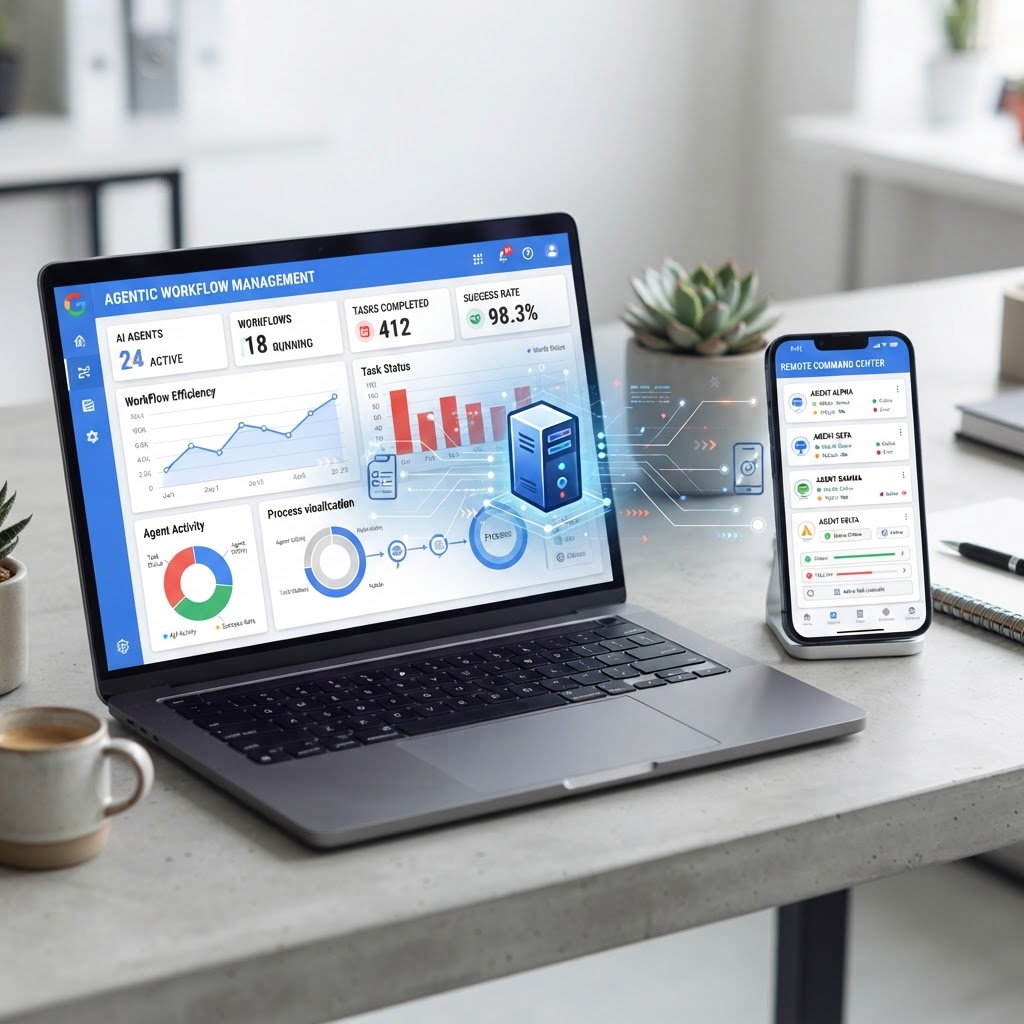
Google Antigravity 2.0 enables developers to manage AI agents across multiple server and local instances via a browser-based remote control interface.
- Antigravity 2.0 now supports remote control, enabling developers to monitor and drive AI agent sessions from any web browser.
- The system supports multi-instance management, allowing users to switch between server-based environments and local workstations.
- New proactive push notifications alert developers on mobile or other devices when an agent requires manual input or has completed a task.
Overview of Remote Control in Antigravity 2.0
The transition toward the "agent-first era" of software development has fundamentally changed how code is produced and maintained. According to the Antigravity team, agentic AI has evolved from generating small code snippets to managing substantial tasks, such as refactoring entire subsystems, executing large-scale test suites, and resolving complex build breakages across multiple workspaces. Because these tasks are more comprehensive, they often require significant time to complete, which previously required developers to remain at their primary workstations to monitor progress.
To address this tethering, Google Antigravity has introduced a remote control feature. This functionality allows developers to connect to and drive Antigravity sessions running on various machines—including laptops, desktops, and remote servers—through a standard web browser. The primary goal of this update is to provide a secure window into the developer's workspace, maintaining access to essential tools and credentials regardless of the user's physical location.
Managing Multi-Instance Environments
A central component of the new remote control feature is multi-instance management. In modern development workflows, it is common to use different hardware for specialized tasks. For example, a developer might use a local laptop for UI development while utilizing a high-performance cloud environment or a dedicated linux server for backend tasks and heavy computation. Antigravity's dashboard now allows users to monitor these disparate environments simultaneously.
Users can view the status of their various environments—such as a "gcp-linux-server-env" or a "local-laptop-ui-env"—and connect to them with a single click. This capability ensures that agents running on a powerful remote server can be managed with the same level of control as those running locally, without the need for complex secure shell (SSH) configurations or specialized remote desktop software beyond a web browser.
Retention of Local Context and Credentials
One of the technical challenges in remote development is the replication of local environments. Often, when moving from a workstation to a mobile device or a secondary laptop, developers lose access to specific environment variables, build tools, or credentials stored on the primary machine. Antigravity Remote Control mitigates this by retaining the local context of the session.
When a developer accesses a session remotely, the agent continues to operate within the original workspace. This means the agent retains full access to the files, credentials, and environment variables configured on the host machine. By eliminating the need to recreate environments on secondary devices, the system allows for continuous sessions that are not interrupted by physical movement or device switching.
Proactive Monitoring and Push Notifications
Because agentic workflows can take anywhere from a few minutes to several hours, constant monitoring is often inefficient. However, stepping away from a workstation can lead to delays if an agent hits a blocker and requires human intervention. Antigravity 2.0 addresses this through proactive push notifications.
These notifications are sent to the user's connected devices when an agent finishes its designated turn or encounters a situation where user input is necessary. For example, if an agent is refactoring a blog's styling and requires approval for a specific design choice, it can trigger a mobile notification. This allows the developer to respond to the agent's needs immediately from their mobile browser, rather than waiting until they return to their primary desk.
The Role of Agents in Long-Running Tasks
The development team notes that as agents take on a larger scope, the nature of "staying at the keyboard" has changed. Traditional development required the human to be the primary driver of every line of code. With agentic AI, the human role shifts toward supervision and high-level direction. Remote control is positioned as a tool to support this supervisory role, providing flexibility for developers to move between locations while their agents handle the repetitive or computationally expensive aspects of software engineering.
Enjoyed this?
Get more posts like this delivered to your inbox.