Google Antigravity Introduces Custom Agents for Specialized Workflows
Google Antigravity has launched Custom Agents, enabling developers to create specialized, file-based configurations for Antigravity 2.0 and the CLI.
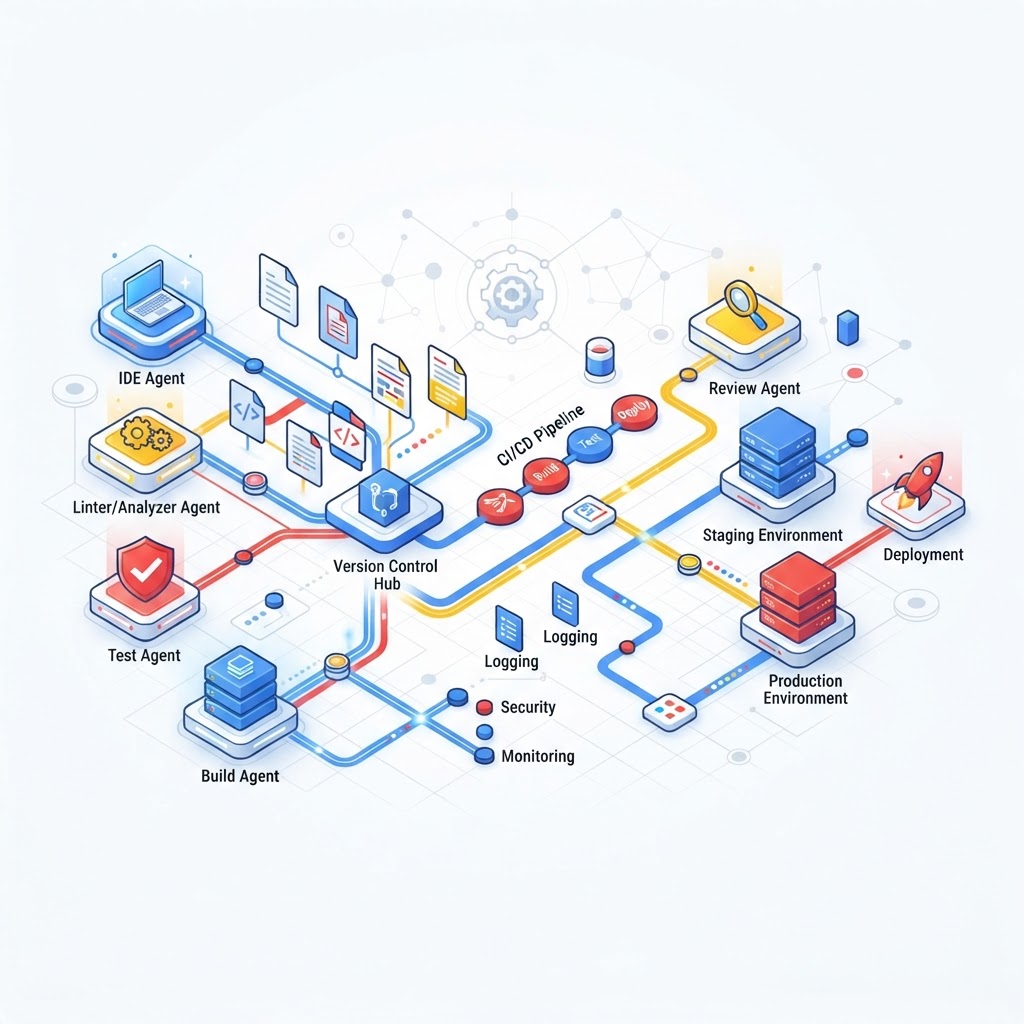
Google Antigravity's Custom Agents allow for specialized, file-based configurations within the developer workflow.
- Google Antigravity has introduced Custom Agents, a specialized configuration system for Antigravity 2.0 and the CLI.
- These agents use a Markdown and YAML-based file format to define specific roles, tools, and system instructions.
- A key feature is execution symmetry, allowing agents to function as both standalone primary sessions and delegated subagents.
Overview of Custom Agents in Antigravity 2.0
The Google Antigravity team has announced the introduction of Custom Agents, marking a shift in how developers interact with AI assistants within their software engineering workflows. As detailed in the official announcement on August 13, 2026, these agents are designed to address the limitations of general-purpose coding assistants by providing first-class support for specialization and parallel task execution within Antigravity 2.0 and the Antigravity CLI.
According to the Antigravity team, modern software engineering is increasingly becoming an exercise in orchestrating multiple specialized entities rather than simply writing sequential lines of code. Custom Agents are intended to facilitate this by allowing developers to break complex projects into distinct units that can act, verify, and execute tasks independently. This modularity is expected to minimize the technical overhead associated with large prompt windows and unoptimized context management.
Addressing Specialization and Context Constraints
The primary motivation behind Custom Agents is the mitigation of two specific issues: lack of specialization and context window bloat. General-purpose assistants often lack knowledge of a specific project's unique testing conventions or dependency management rules unless these are repeatedly defined in every interaction. Furthermore, attempting to include all project-specific guidelines in a single prompt results in high token consumption and reduced efficiency.
Custom Agents solve these issues by utilizing specialized, file-based configurations. These configurations define specific roles with scoped instructions, tools, and constraints. By keeping the active context clean and minimizing token overhead, the system provides a predictable partner for specific tasks. For example, a developer can create an agent specifically for dependency modernization or another for unit testing, each with its own set of relevant tools and instructions.
Technical Implementation: Markdown and YAML
The implementation of Custom Agents in Antigravity 2.0 utilizes a file format consisting of Markdown with a YAML frontmatter header. This format is designed for progressive discovery, allowing the system to read only the necessary components of an agent's configuration. These files can be saved locally within a workspace under the .agents/agents/ directory or globally for a specific user under ~.gemini/config/agents/.
The YAML frontmatter contains metadata such as the agent's name, description, model (e.g., Gemini Flash), and a list of available tools like view_file or run_command. The Markdown body of the file serves as the core system instruction for the agent. By committing these files to a repository, development teams can standardize workflow assistants across their entire organization, ensuring that every teammate has access to the same specialized tools without manual setup.
Execution Symmetry: Main Agents and Subagents
A notable technical advancement in the Antigravity implementation is the concept of execution symmetry. In many existing agent frameworks, custom agents are limited to acting as subagents that are spawned by a main, default coordinator. Users typically cannot interact with these specialized workers directly.
Antigravity introduces flags—mainAgent: true and subagent: true—that allow for more flexible execution. When configured as a main agent, a custom agent can be selected directly from the dropdown menu in the Antigravity 2.0 GUI or launched via the command line using the jetski --agent [agent-name] command. This allows the user to speak directly to the specialized agent, with its specific core instructions compiled into the system prompt. Conversely, the same agent can still be called as a subagent tool by a coordinator agent when delegation is required.
Integration with Skills and Dynamic Subagents
The Antigravity team clarified that Custom Agents are not intended to replace existing features like "Skills" or "Dynamic Subagents," which were introduced in previous updates. Instead, Custom Agents provide an additional layer of optimization. While Skills allow for the progressive discovery of context and instructions, they can still lead to a cluttered context if many are used simultaneously. Custom Agents allow developers to specify a subset of skills that are strictly relevant to a particular specialization.
Similarly, while Dynamic Subagents allow a main agent to delegate work with a specific prompt, Custom Agents go further by allowing that delegation to target a pre-configured agent with its own unique model, permissions, and toolsets. This tiered approach to customization allows for granular control over how AI assistants operate within a complex project structure.
Safety and Permission Policies
Security and operational safety are addressed through scoped safety policies, specifically the commandExecutionPolicy and permissionMode fields in the YAML configuration. Running agents that execute command-line operations, such as installing dependencies or running test suites, requires a balance between security and developer productivity. The Antigravity system allows for dedicated execution filters, preventing the frustration of constant approval prompts while ensuring that unverified code is not executed without proper authorization.
As of the announcement, Custom Agents are fully integrated into the Antigravity 2.0 Desktop App and the CLI. Support for the Antigravity IDE is expected to follow shortly, completing the integration across the product suite.
Enjoyed this?
Get more posts like this delivered to your inbox.
